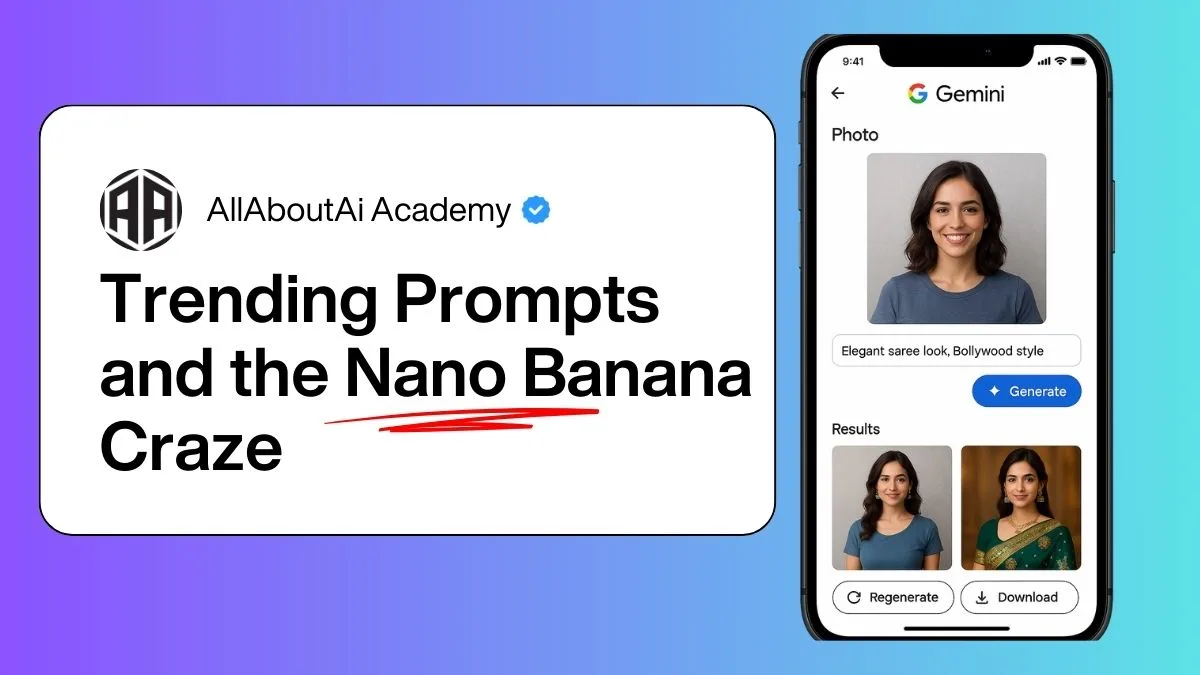
Google Gemini AI Photo Editor: The Ultimate Guide to Trending Prompts & Nano Banana Craze
AI has completely transformed the way we create and edit images, and one of the most exciting innovations in this space is Google Gemini AI. From realistic photo editing to viral trends like the saree look, retro vintage styles, and the quirky Nano Banana 3D figurines, Gemini AI is taking over social media by storm.
In this detailed guide, we’ll explore everything you need to know about Gemini AI photo editing, the best prompts you can copy-paste, and how to use the Gemini app to create stunning, futuristic, and trending images.
What is Google Gemini AI?
Evolution of Google Gemini from Chat to Creative AI
Originally launched as an AI chatbot, Google Gemini has rapidly evolved into a multimodal AI capable of handling text, images, videos, and creative generation. Unlike traditional chatbots, Gemini doesn’t just answer questions – it helps people create art, edit photos, and even generate 3D models.
Gemini Nano and Its Unique Features
The Gemini Nano version is optimized for lightweight devices. It powers on-device AI editing, allowing users to create stunning photos, 3D figurines, and retro-style images without needing high-end hardware. This is why the “Nano Banana” AI trend exploded – it proved how efficient Gemini Nano could be for quirky creations.
Why Gemini AI Photos Are Going Viral
The Power of AI Image Generation
Social media thrives on unique visuals. Gemini AI makes it possible for anyone – even without editing skills – to generate professional, surreal, or hyper-realistic photos in seconds.
Popular Gemini AI Photo Trends (Saree Look, Retro, Nano Banana)
- Saree Look Prompts – Users transform ordinary portraits into elegant Indian saree styles.
- Retro & Vintage Filters – Perfect for creating nostalgic “old photo” vibes.
- Nano Banana Figurines – A bizarre yet viral trend where AI turns objects into 3D banana figurines.
How to Use Gemini AI for Photo Editing
Gemini AI Photo Editor Explained
The Gemini AI Photo Editor is a built-in feature of Google Gemini Studio and the Gemini App, allowing quick photo transformations with simple text prompts.
Step-by-Step Guide to Editing Photos with Gemini AI
1. Uploading Your Photo
Choose a selfie, couple photo, or object to edit.
2. Choosing Prompts for Best Results
Type or paste prompts like:
- “Elegant saree look, Bollywood style”
- “Retro 1970s vintage film photo”
- “3D Nano Banana figurine in neon lights”
3. Downloading & Sharing
Once generated, images can be downloaded in HD or 4K and instantly shared on Instagram, TikTok, or WhatsApp.
Best Gemini AI Prompts for Photo Editing
Saree Trend Prompts
- “Elegant silk saree, traditional jewelry, cinematic lighting”
- “Modern fashion saree with futuristic glow effects”
Retro & Vintage Prompts
- “1970s retro disco look with neon lights”
- “Black & white vintage Bollywood poster style”
Couple Photo Prompts
- “Romantic couple in royal wedding attire”
- “Casual retro couple photo, vintage camera effect”
Nano Banana 3D Figurine Prompts
- “Cute Nano Banana 3D figurine, Pixar style”
- “Banana superhero figurine with 3D shading”
Copy-Paste Gemini AI Photo Prompts
Ready-to-Use Prompts for Beginners
- “AI-generated photo in HD 4K, realistic”
- “Retro vintage couple portrait, cinematic filter”
Advanced Prompts for Creative Results
- “Futuristic cyberpunk look with neon lights and rain effect”
- “Nano Banana AI 3D figurine with sci-fi armor”
Gemini AI vs Other AI Photo Editors
Google Gemini vs ChatGPT Image Editing
While ChatGPT focuses on text generation with limited photo capabilities, Gemini AI is more visual-first. Gemini allows direct photo editing with prompts, whereas ChatGPT relies on third-party integrations like DALL·E.
Gemini vs MidJourney & Stable Diffusion
- MidJourney is known for its artistic and surreal results, but it requires Discord and is not beginner-friendly.
- Stable Diffusion offers open-source customization but can be complex to set up.
- Gemini AI, in contrast, is user-friendly, app-based, and great for trending photo edits like the saree look or Nano Banana figurines.
How to Download and Use the Gemini App
Gemini AI App on Android & iOS
Google has made Gemini available via the Gemini App, downloadable on Google Play Store and Apple App Store. Users can log in with their Google account to start editing immediately.
Integration with Google AI Studio
For advanced creators, Gemini Studio AI allows pro editing, 3D modeling, and experimental features like video editing. This is where many viral Nano Banana AI figurines were first created.
The Nano Banana 3D Figurine Trend Explained
What is Nano Banana AI?
The Nano Banana is a quirky trend where Gemini AI generates 3D figurines of bananas in various styles—retro, superhero, cartoonish, or realistic. It started as a joke but quickly went viral on TikTok and Instagram Reels.
Why Nano Banana Figurines Are Trending
- Easy to create with prompts
- Funny, shareable, and meme-worthy
- Showcases Gemini AI’s creative power
Some users even 3D-print Nano Banana models from Gemini’s generated designs!
Future of AI Image Editing with Gemini
Upcoming Features in Gemini AI Photo Editing
- Video Editing Prompts – Soon, users may type “retro Bollywood-style video” and get AI-generated clips.
- 3D Avatar Creation – Turning selfies into game-ready 3D models.
- Interactive Editing – Drag-and-drop plus text prompts for hybrid workflows.
Impact on Social Media Trends
Just like Lensa AI avatars and MidJourney art floods, Gemini AI is shaping the next viral wave of social content. Expect more Nano Banana-style fads to emerge.
FAQs on Gemini AI Photo Editing
Q1. What is Gemini AI Photo Editor?
Gemini AI Photo Editor is a feature in the Google Gemini app that lets you transform photos with simple prompts.
Q2. How do I copy-paste Gemini AI prompts?
Simply type or paste the provided ready-made prompts into Gemini AI’s editor and watch your photo transform.
Q3. Is Gemini AI free?
Yes, there’s a free version, but advanced editing (HD, 3D models) may require Gemini Advanced subscription.
Q4. What is the Nano Banana trend?
It’s a viral trend where Gemini generates 3D banana figurines in creative styles.
Q5. Can I create couple photos in Gemini AI?
Yes, prompts like “romantic couple in retro style” or “royal wedding couple photo” work great.
Q6. How does Gemini compare to other AI apps?
Unlike MidJourney or Stable Diffusion, Gemini is simpler, app-based, and optimized for viral photo editing trends.
Conclusion
The Gemini AI Photo Editor is more than just a tool—it’s a creative playground where trends like the saree look, retro filters, and Nano Banana figurines come to life. With its easy-to-use app, copy-paste prompts, and powerful AI engine, Gemini is making professional-level photo editing accessible to everyone.
Whether you want to edit selfies, generate 3D figurines, or hop on the latest AI photo trend, Gemini AI is the app to watch in 2025 and beyond.
🔗 For more insights on AI tools, check out Google AI.